





Webinar: Keep everyone up to date on commissioning issues by connecting Cx professionals with the construction team.
QUESTIONS FROM WEBINAR
Do you know if there will be an integration to pull startup inspection checklists from Procore into CxAlloy? What about field observation reports and meeting minutes? Drawings and RFIs?
We plan to add additional points of integration with Procore over time. We are still evaluating which areas make the most sense, but integrating CxAlloy TQ checklists and tests with Procore’s inspections is currently one of the most likely additions. Other content such as field observations, meetings, drawings, and RFIs may be possibilities in the future.
How does it work if you already have Procore? Is there an additional cost?
There is no cost for the CxAlloy TQ Sync app in the Procore Marketplace. So, if you have a Procore subscription and a CxAlloy subscription, then you are good to go!
Can you force CxAlloy to sync with Procore for situations like when you’re in a meeting others waiting on an update?
Although you can’t start a sync on-demand, changes from CxAlloy TQ should show up in Procore within 10 minutes, and changes from Procore should show up in CxAlloy TQ nearly instantaneously. The capability to initiate a sync on-demand is something that we have on our list, and we are looking for feedback from users to help guide our development roadmap.
Can you use the location field within Procore to assign the observation to a piece of equipment
We are pursuing a number of enhancements to the issue integration, including using Procore’s “location” field to capture the CxAlloy TQ issue’s related asset.
Does the admin in Procore and the admin in CxAlloy need to be the same user? Or can it be divided between two users?
The admin in Procore does not need to be the same person as the admin in CxAlloy TQ.
Two different user authorizations are necessary to enable Procore Integration, represented as two discrete steps in the Procore Integration:
- “Connect to Procore“. CxAlloy TQ must receive an authorization for a specific Procore user, and that Procore user must approve the CxAlloy TQ Sync app. Clicking “Connect to Procore” redirects to the Procore login page and then prompts the user to authorize the CxAlloy TQ Sync app after logging in. The Procore user must have the following Procore permissions:
- ‘Admin’ on the project’s Admin tool (Necessary to configure project Webhooks)
- ‘Admin’ level permissions on the project’s Observations tool. (Necessary to allow for deleting of observations).
- “Configure Procore“. The integration must then be configured and enabled by a CxAlloy TQ user with the following project permissions:
- ‘Manage’ for Settings
- ‘Manage’ for Design Issues and/or Construction Issues (only necessary with the “Ongoing Sync” approach).
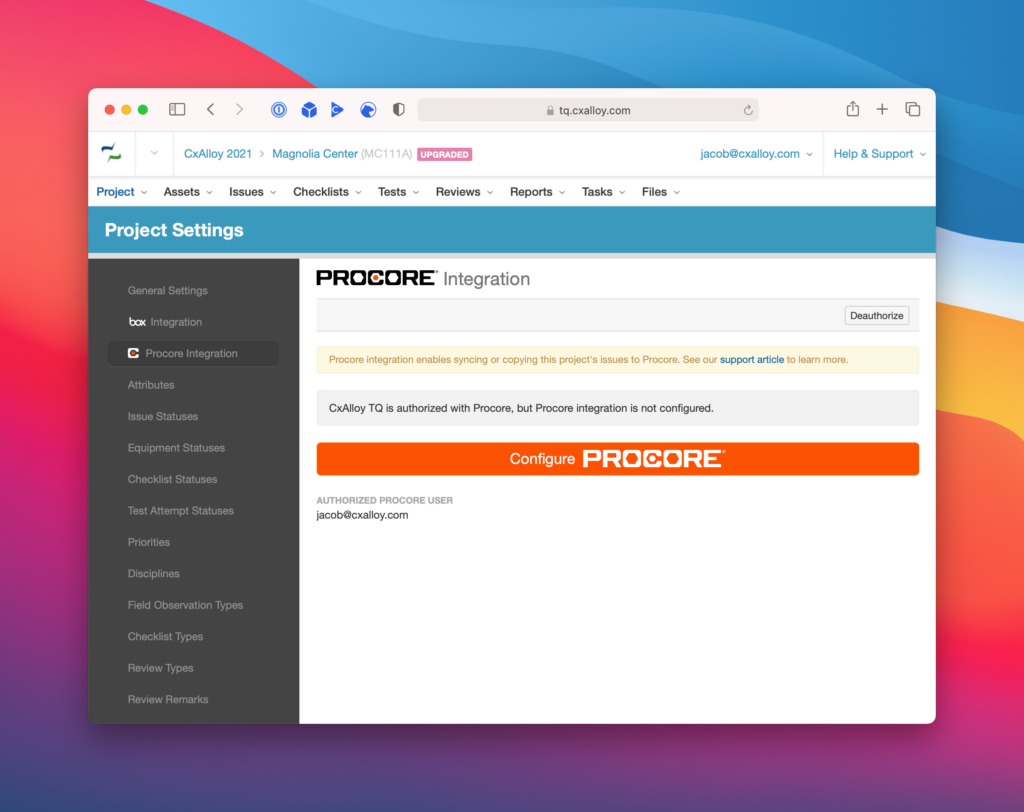
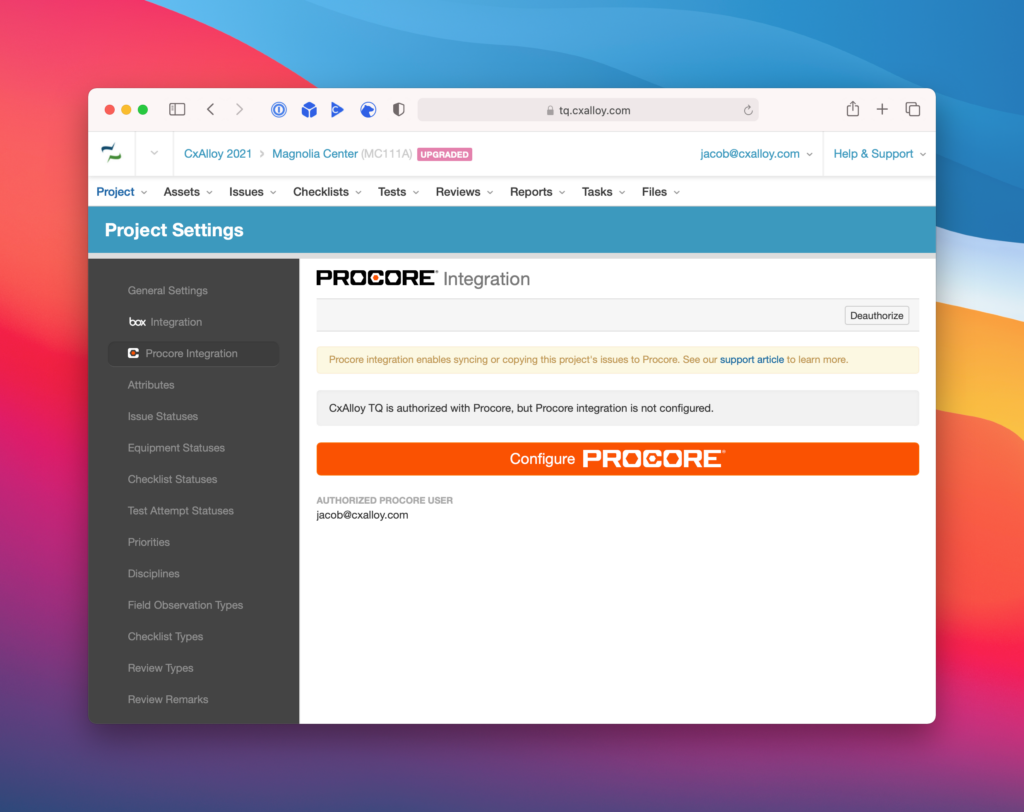
Ultimately both steps must be performed by a CxAlloy TQ user that has ‘Manage’ permissions for Settings, as both steps are within the Project Settings area. However, the two steps (“Connect to Procore” and “Configure Procore”) do not have to be performed by the same CxAlloy TQ user. In addition, the user that performs the “Connect to Procore” step does not need to retain the ‘Manage’ permissions for Settings after successfully connecting.
This means that you could invite in a GC that has the required Procore permissions and have them perform the “Connect to Procore” step, authorizing the integration under their Procore user account. You could then remove them from the project or turn off their ‘Manage’ permissions for Settings, and have a different CxAlloy TQ user perform the “Configure Procore” step.”
Does the same company need both subscriptions? As a Cx company, we work with contractors who use Procore but they are the ones with the subscription and we are invited to it, similar to how we have a subscription to CxAlloy and invite contractors.
No, the subscriptions to CxAlloy TQ and Procore can be held be entirely different companies. All that is needed is an authorization from a Procore user with the necessary permissions in the Procore project.
Can we see the issue activity details (on the CxAlloy issue) to visualize how the “syncs” are captured?
Yes, any changes to issues that happen as a result of the Procore Integration will show up under the “History” area of the issue. These actions will all show up as actions performed by whichever user configured and enabled the Procore Integration.
How do the observations in Procore get assigned to particular users that are required to respond to issues?
The observations created in Procore will not have an assignment, regardless of the assignment of the associated CxAlloy TQ issue. Observations created in Procore through the integration will therefore need to be assigned independently. We are investigating ways we might be able to enhance the integration in the future to maintain the assignment.
Is there a way to choose which project CxAlloy syncs to within a Procore Company Project?
You can choose on a project-by-project basis within CxAlloy TQ whether you want to turn on the Procore Integration. Then, as part of configuring the integration you choose which Procore project to integrate with. These choices are made within CxAlloy TQ, not Procore.
Any future plans to work with PlanGrid as well?
We intend to expand our integrations to additional platforms in the future, and PlanGrid (or more generally, Autodesk Construction Cloud) is one of our top prospects.
How do you know who really made the changes if you can log into Procore and CxAlloy as a different person?
To see who originally made a specific change you have to view that change in the system it originated from. If a change originally came from CxAlloy TQ, you would look in the “History” section of the issue to see who made it. If a change originally came from Procore, you would look in the “Change History” section of the observation.
In addition, the integration will append the issue creator’s name to the observation’s Description, and comments (both originating from Procore and from CxAlloy TQ) always have the commenter’s name appended to the comment.
Within the Procore Observations module, there are a number of metadata fields like “Contributing Conditions.” Are these fields mapped to CxAlloy?
Not all fields available in Procore and CxAlloy TQ are mapped to each other. The fields that are mapped are:
- Description
- Status
- Priority
- Due Date
- Discipline (labeled Trade in Procore)
- Comments
- Files (called Attachments in Procore)
Some fields that CxAlloy TQ has are appended to the description, including Asset, Drawing, and the name of the issue creator.
We are pursuing a number of enhancements to the issue integration and this is certainly one we will look into.
Can the sync and issue pass over be changed from one time to continuous and switched back and forth depending on the stage of the project? Can the priority mapping be changed for issues at different stage of the project?
You can change the configuration at any time via the “Change Options” button found in the toolbar on the Procore Integration settings page when Procore integration is enabled.
Are there any issues if someone in Procore makes changes to the comment where the asset information is listed from CxAlloy when it is synced back to CxAlloy?
Changes to the description in Procore will always sync back to CxAlloy TQ. As long as the line “————— CxAlloy TQ Details —————” is not changed, nor anything below it, then the “CxAlloy TQ Details” section will only appear in Procore and not in CxAlloy TQ. If that line is removed or edited then changes will still sync back, but the changes will include the complete content (including anything previously found within the “CxAlloy TQ Details” section).
What are the most notable limitations, currently?
See our Procore Integration support article for details on limitations. The most notable is likely that assignments are not carried over, and we are currently exploring ways to address that.
Is it possible to copy/sync multiple CxAlloy projects to a single Procore project?
Currently this is technically allowed but not supported. The results of doing so are unpredictable. A future update will address this situation, though it may be necessary for us to block it rather than support it.
Does a contractor using Procore need to add the CxAlloy App to their Procore dashboard as well, or once I integrate and sync on my end will the pushed observations show up for anyone belonging to that project in Procore?
Other Procore users in the project do not need to do anything. Once the integration is enabled the observations brought over via the integration will be visible to all Procore users (assuming they have access to Observations in that Procore project) without them having to do anything.
Can there be more than one authorized CxAlloy user for sync?
Not at this time.
Can the one-time sync be repeated without creating duplicate issues/observations, where it updates those that have already been created but on a more manual time interval?
Not currently.
Can you explain the default handling for statuses on Procore again? What happens if there is no match on CxAlloy? Does the status mapping have to be one to one? For example, can the Procore status “Ready for Review” map to multiple CxAlloy statuses?
The mapping does not have to be one-to-one. Multiple CxAlloy statuses can map to the same Procore status.
The mapping works by first ensuring that every CxAlloy value maps to a specific Procore value. If a CxAlloy value maps to exactly one Procore value, then the reverse mapping is assumed. For example, if the CxAlloy status “Closed” is mapped to the Procore status “Closed”, and no other CxAlloy status maps to Procore’s “Closed” status, then when an observation is set to “Closed” on the Procore side it will be set to the CxAlloy “Closed” when it syncs.
If you select the same Procore value for multiple CxAlloy values then you must choose the “reverse mapping” – which of the CxAlloy values should be set when that Procore value is set. For example, if you selected the Procore status “Ready for Review” for both “In Progress” and “Pending Verification” CxAlloy statuses, then you must choose which of those two should be set when the status is changed to “Ready for Review” on the Procore side.
If there is a Procore value that you don’t select when mapping the CxAlloy values, then the “reverse mapping” of that Procore value is the default CxAlloy value. For statuses this is your initial issue status (often “Open”), or blank for Discipline and Priority. For example, if “Open” is your initial CxAlloy status, and none of the CxAlloy statuses are mapped to Procore’s “Not Accepted” status, then when “Not Accepted” is set on the Procore side the CxAlloy status will be set to the “Open”.
Can an integration template be created to make integration easier instead of having to select everything each time for each job?
Not currently, but that is an excellent suggestion. In general we plan to reduce the friction in setting up the Procore Integration with future updates.
Can you link to Procore document from within CxAlloy without additional sign in?
Yes, if all you want to do is provide a link to a resource in Procore you can do that by pasting the link. CxAlloy TQ automatically detects links and makes them clickable within the interface.
Will you have another webinar down the road for these questions?
Thank you! We’ll look at having another session on Procore integration.