



angle-graphic

Report Generator Duplication – Customer Appreciation Summer Week 6

Often times, users have found themselves needing to generate multiple reports for a given project with slightly varying configurations. Even if a similar configuration existed, users would have to build a new report from scratch. This week’s feature addresses that problem by allowing users to duplicate existing report configurations.
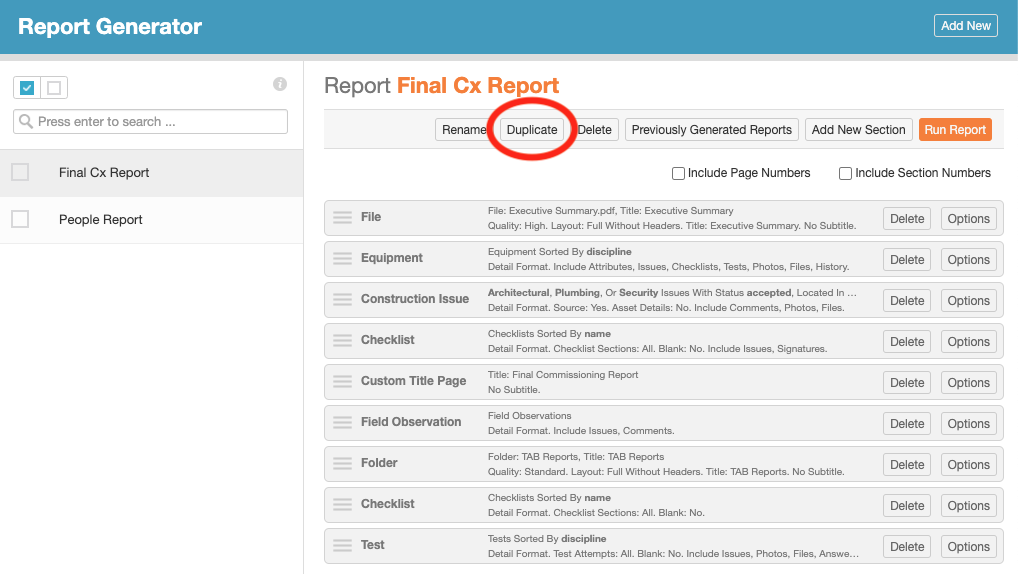
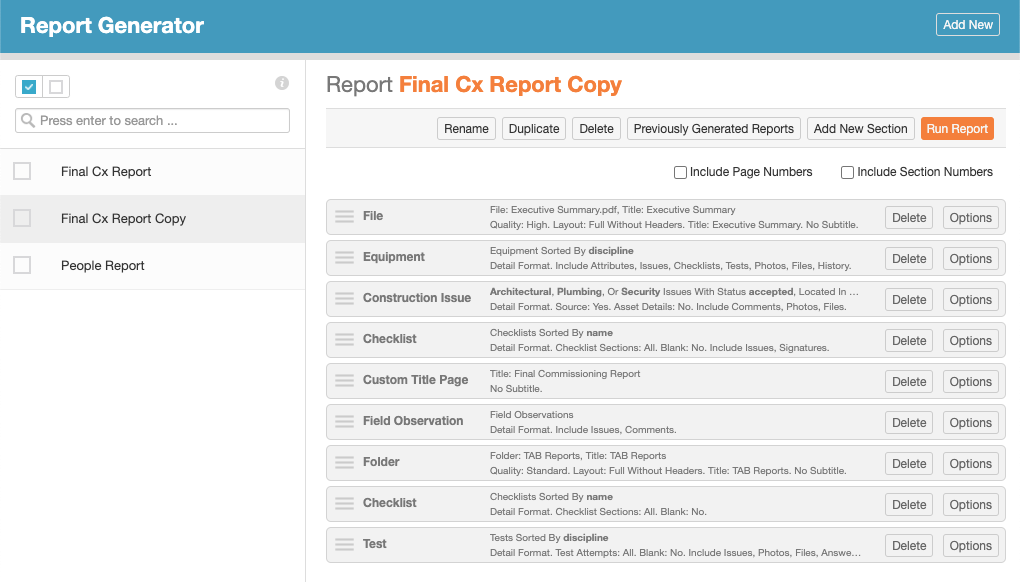
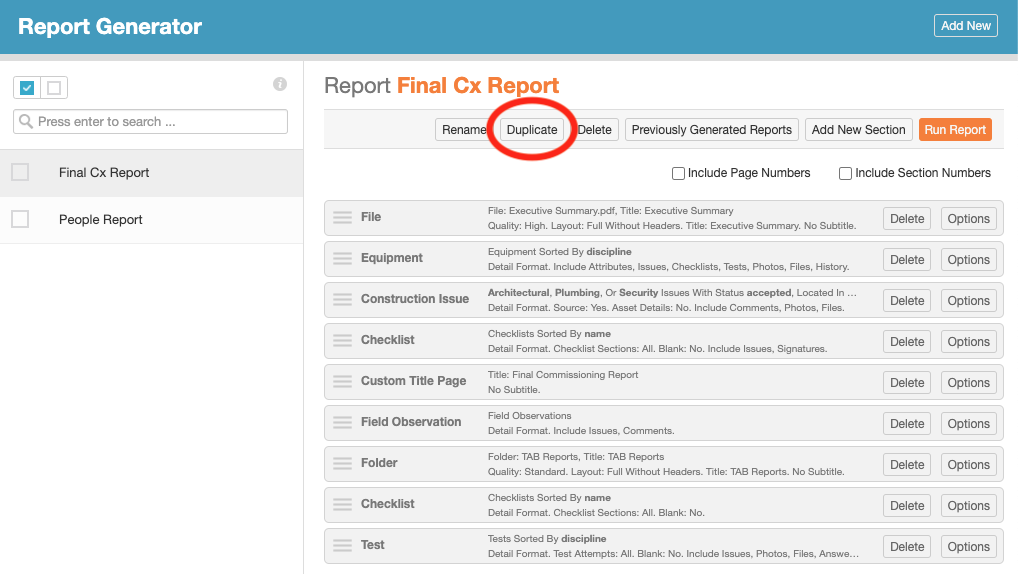
Action bar Duplicate button when viewing an individual report.
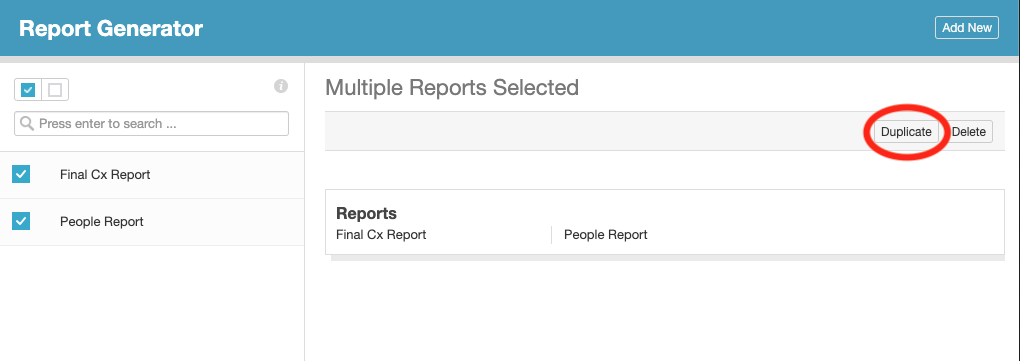
Batch action bar Duplicate button when selecting multiple reports from the list view.
Example duplicate report.

This new duplicate feature has been implemented as an additional button in both the detail view’s action bar for an individual report, and the list view’s batch action bar when selecting multiple items. Duplicated reports will have the exact same report sections and section options as the parent report at the time of duplication, with the word “Copy” appended to the name to differentiate it from the original. After creation, the duplicate can be modified freely without effecting the original, drastically reducing administrative overhead in the Report Generator section.

As with all of our features, we welcome any feedback to further improve your user experience moving forward. Please submit any recommendations or ideas to “support@cxalloy.com”.
Report Generator People Section – Customer Appreciation Summer Week 5

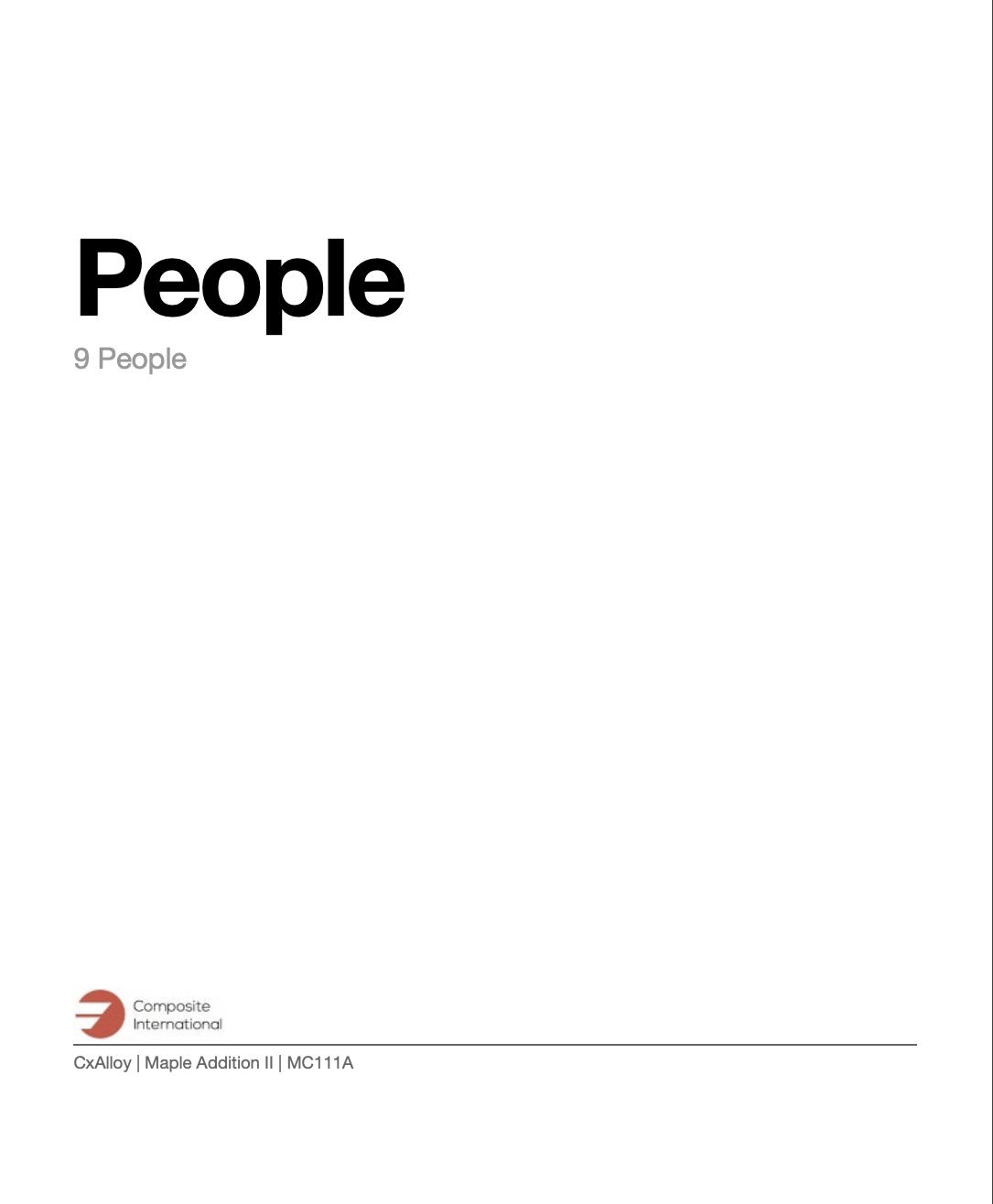
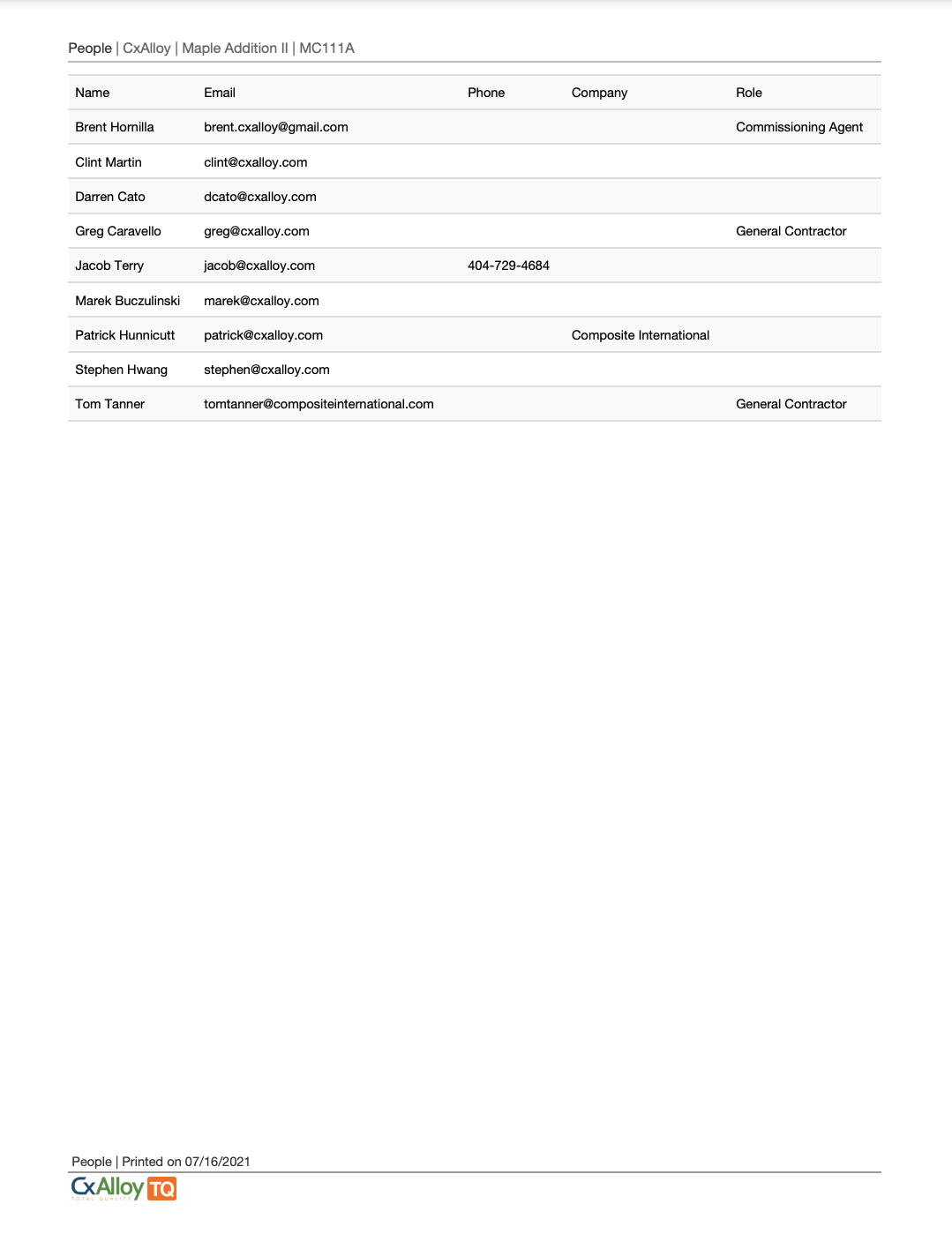
This week’s feature release is the long awaited addition of a People section to the Report Generator. Users can now add a People section to their reports, which will include the name of all users in the project, as well as their email, phone number, company, and role.

Report with People section
People section title page
People section as seen in reports

As with all of our features, we welcome any feedback to help us make any additional improvements.

Protection Against Accidental Navigation – Customer Appreciation Summer Week 4

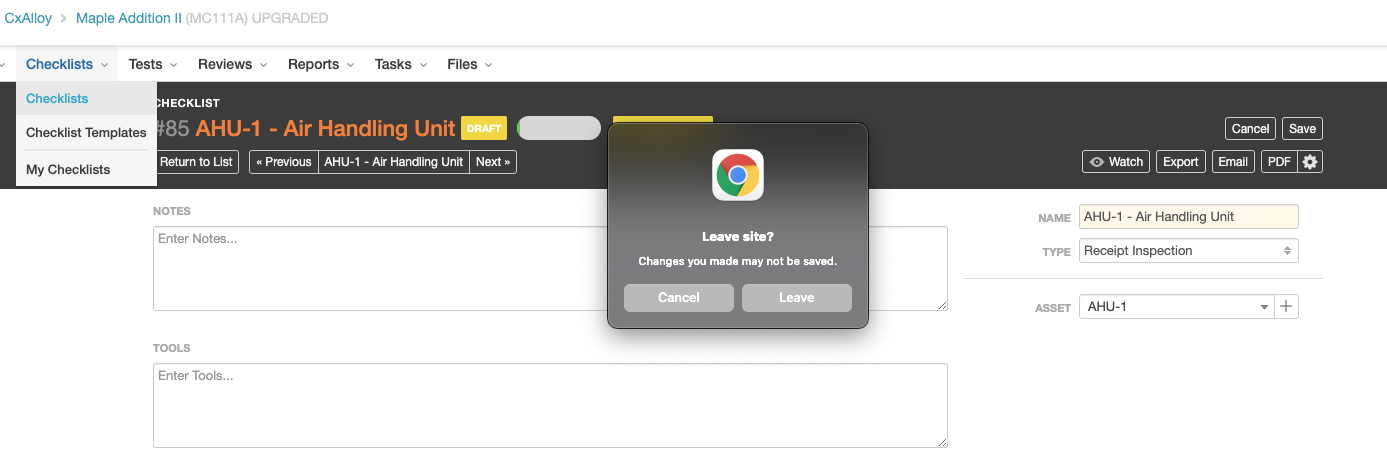
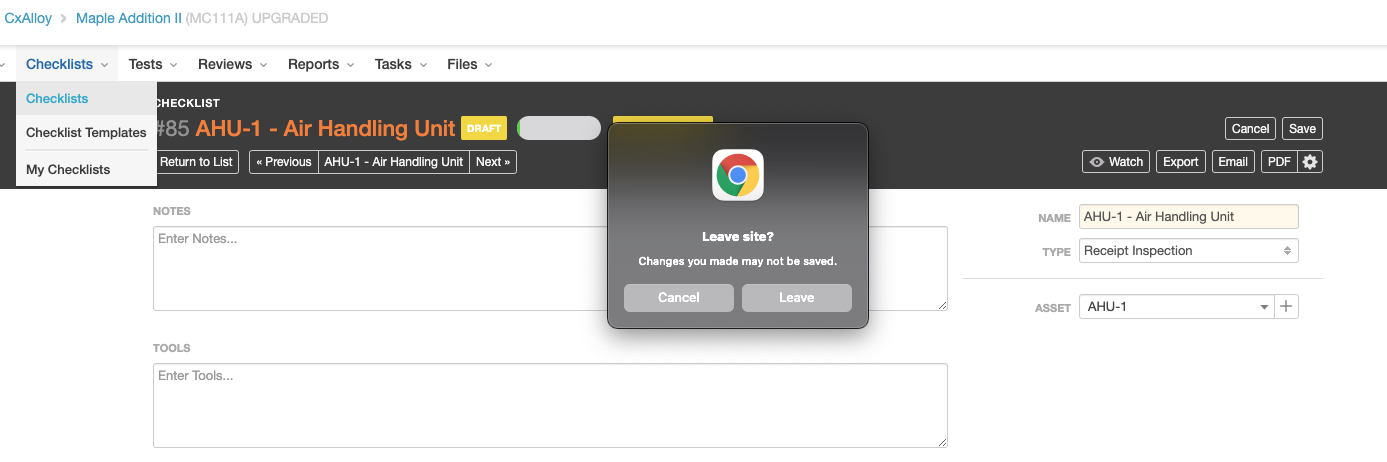
We’ve previously received a number of reports from users regarding accidental navigation away from a page while editing an item. This week’s update adds a notice warning users of potential data loss, and providing the opportunity for users to verify or cancel any attempts to leave the page before saving.

This warning only applies to the direct edit of an existing item, but the framework for this feature will allow us to to address any future requests for similar functionality in other areas as well.

Account Company Search and Duplicate Company Detection – Customer Appreciation Summer Week 3

Generally speaking, we don’t enforce unique names across most sections of CxAlloy TQ. However, this has occasionally led to situations where users accidentally create duplicate entries for companies that already exist.

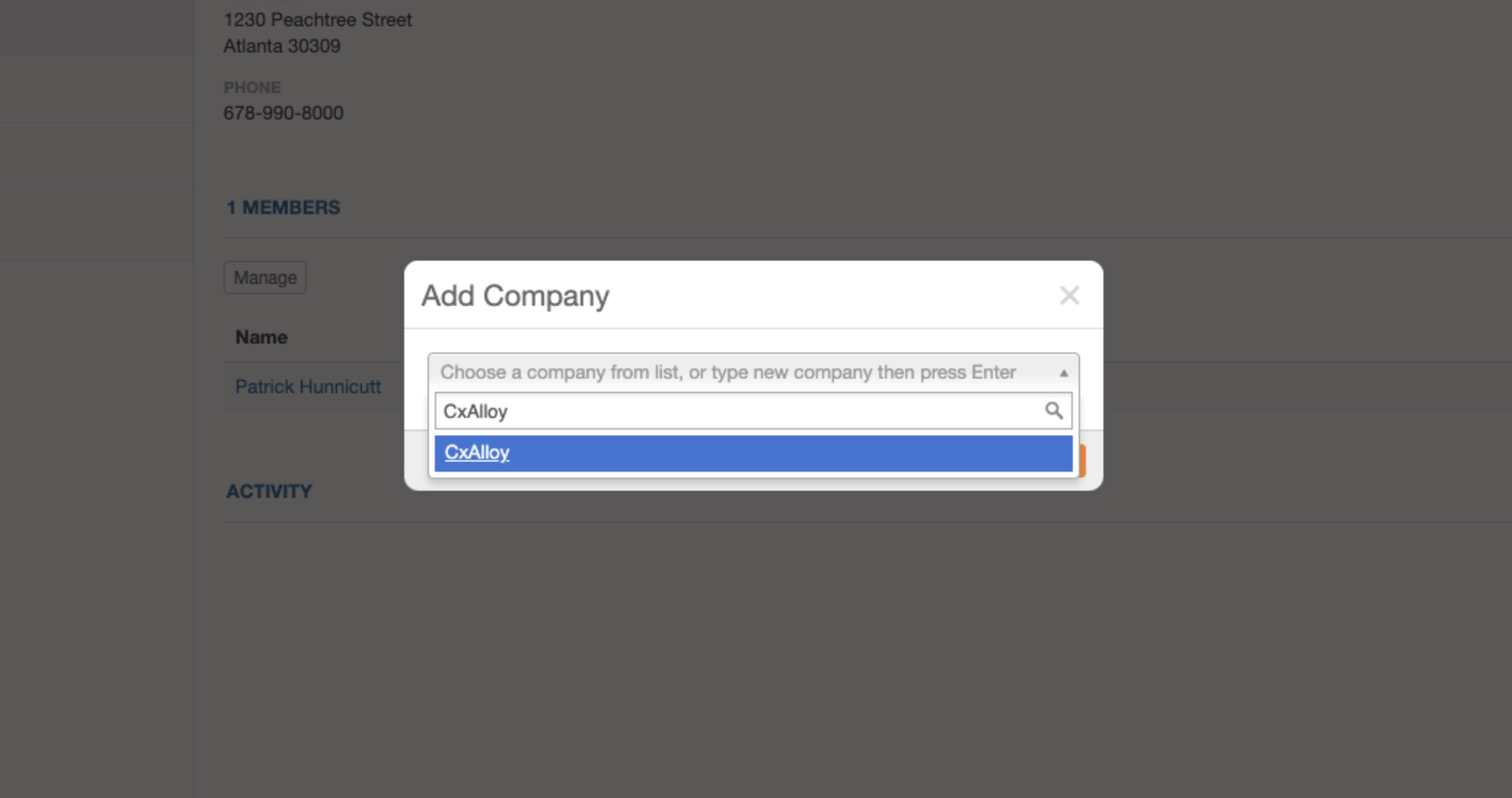
To address this problem, we have made it so that attempts to add a new company at the project level will default to using the existing account level entry when a duplicate is found.

Company Dropdown

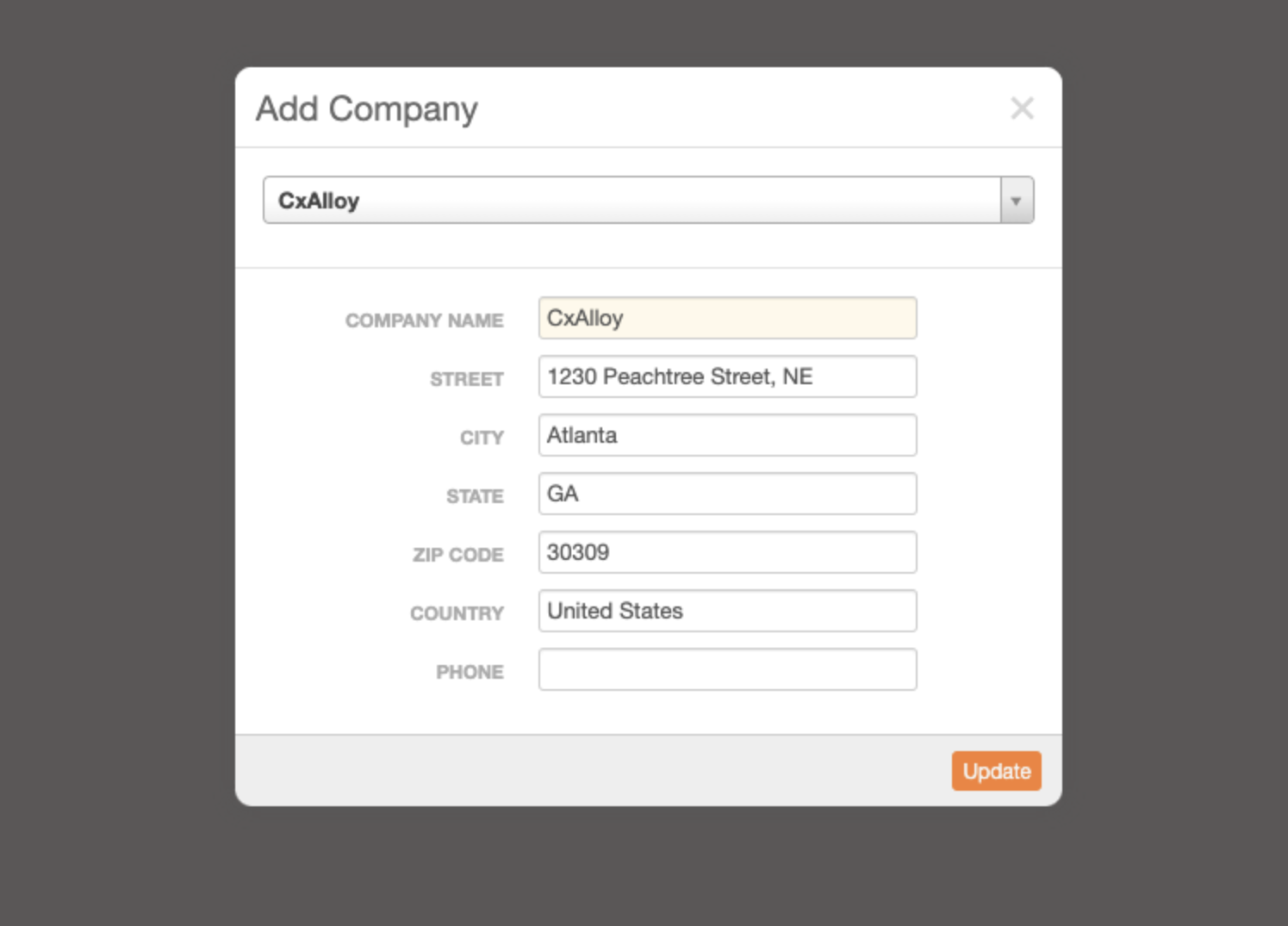
On selection of an existing company, the form will change to update the existing entry instead of creating a new one.

Autofilled Update Form

Additionally, we’ve added the dropdown search that was already being implemented for the project People list to the Account people list as well.

Users can still add a new company with the same name as other existing companies by typing the name in the search dropdown and hitting the Enter/Return key without selecting an existing entry from the dropdown.

With this update, we hope to eliminate the addition of redundant company entries at both the project and account level, while still allowing multiple companies with the same name to exist if desired.

Filter by Date Updated – Customer Appreciation Summer Week 2

This week’s feature expands on a sort that was added during a previous customer appreciation summer – date updated.

We’ve leveraged that existing functionality to allow users to apply it as a filter. As with other date related filters, the new Date Updated filter lets users select an arbitrary date range from a calendar dropdown. The resultant filtered list will only display items that have been updated within the chosen date range.

What qualifies as an update varies slightly based on the section being filtered, but it generally includes any direct edits to those items, as well as issue creation and file uploads where applicable.

With the addition of this new filter, users will be able to quickly determine whether items of interest have received any new updates.

A forthcoming update to the iOS app will also include this new filtering option.

Sort by Percent Progress – Customer Appreciation Summer Week 1

It’s that time of year again! We are kicking off our fourth annual Customer Appreciation Summer. As in past years, during the summer we will be releasing a new feature every week pulled from the suggestions our customers have made in our feedback forum.

Our focus with these features is on the smaller “quality of life” improvements that can often slip under the radar.

In that spirit, our first Customer Appreciation Summer feature is the ability to sort checklists and tests by line answer percentage. This new sort is called “Percent Progress”.

This new sort option sorts on the number of “Yes” and “N/A” responses within a given checklist or test as a percentage of all answerable lines.

A forthcoming update to the iOS app will also include this new sorting option.

Users can now quickly gauge progress on line items while identifying potential problems or bottlenecks. We’ll be releasing plenty more features in the coming weeks, including some other high demand sorting and filtering options. We hope you’re looking forward to it!