This week’s feature expands on a sort that was added during a previous customer appreciation summer – date updated.
We’ve leveraged that existing functionality to allow users to apply it as a filter. As with other date related filters, the new Date Updated filter lets users select an arbitrary date range from a calendar dropdown. The resultant filtered list will only display items that have been updated within the chosen date range.
What qualifies as an update varies slightly based on the section being filtered, but it generally includes any direct edits to those items, as well as issue creation and file uploads where applicable.
With the addition of this new filter, users will be able to quickly determine whether items of interest have received any new updates.
A forthcoming update to the iOS app will also include this new filtering option.
It’s that time of year again! We are kicking off our fourth annual Customer Appreciation Summer. As in past years, during the summer we will be releasing a new feature every week pulled from the suggestions our customers have made in our feedback forum.
Our focus with these features is on the smaller “quality of life” improvements that can often slip under the radar.
In that spirit, our first Customer Appreciation Summer feature is the ability to sort checklists and tests by line answer percentage. This new sort is called “Percent Progress”.
This new sort option sorts on the number of “Yes” and “N/A” responses within a given checklist or test as a percentage of all answerable lines.
A forthcoming update to the iOS app will also include this new sorting option.
Users can now quickly gauge progress on line items while identifying potential problems or bottlenecks. We’ll be releasing plenty more features in the coming weeks, including some other high demand sorting and filtering options. We hope you’re looking forward to it!
We recently rolled out some great improvements to CxAlloy TQ for web and iOS.
CxAlloy TQ for Web
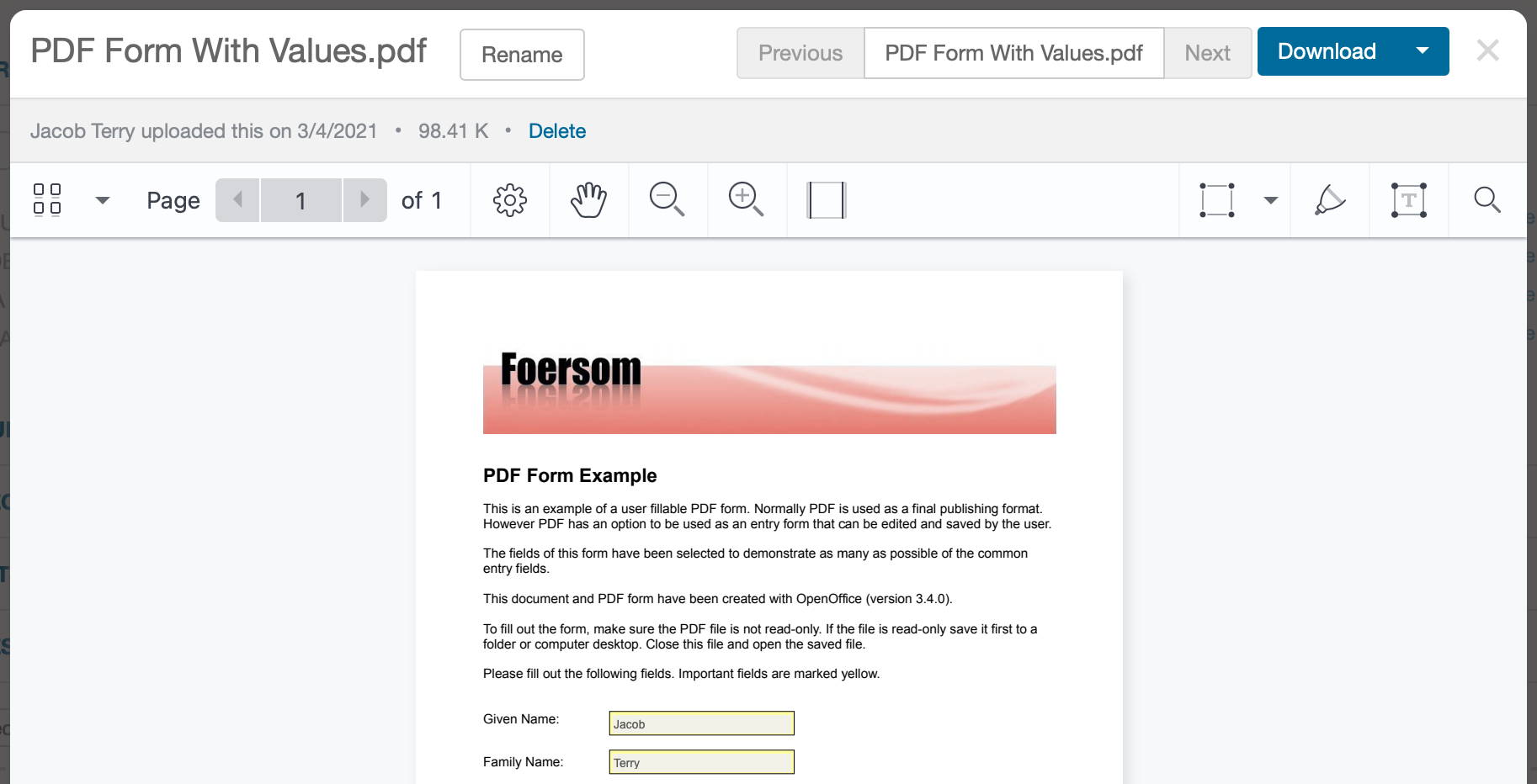
The ability to see PDF form field values.
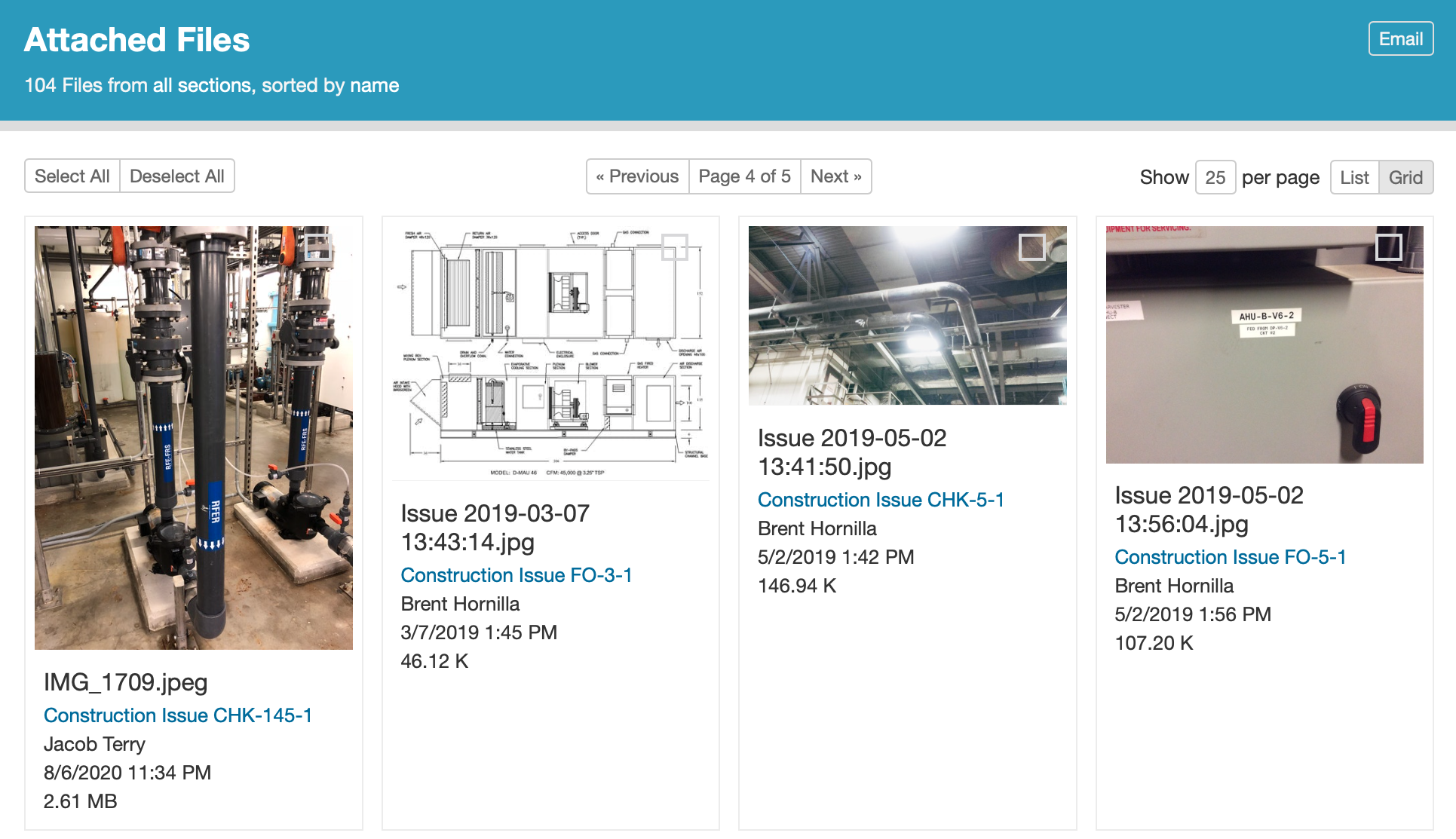
An improved “Attached Files” page.
Separation of attribute units into a separate column in the equipment export.
Ordering attribute columns alphabetically in the equipment export.
Performance improvements and bug fixes.
CxAlloy TQ for iOS 5.1
CxAlloy TQ app for Apple Silicon Macs.
Open CxAlloy TQ urls in the app (“Universal Links”)
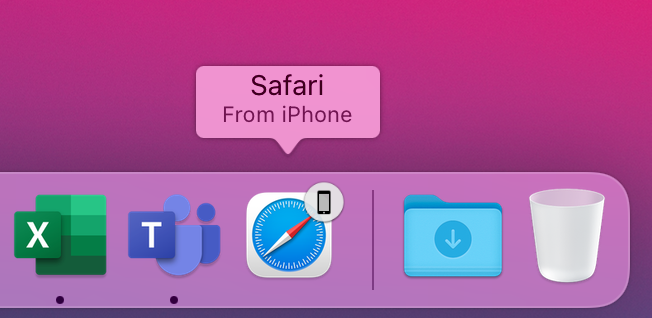
If you have multiple Apple devices, you can now browse your project on one device and continue it one another (“Handoff”).
Read on for more details about these features.
PDF Form Field Values
Now when you view a PDF in CxAlloy TQ you will see any values previously entered into form fields in that PDF. Please note that you cannot enter new data into forms in CxAlloy TQ.
Improved “Attached Files” Page
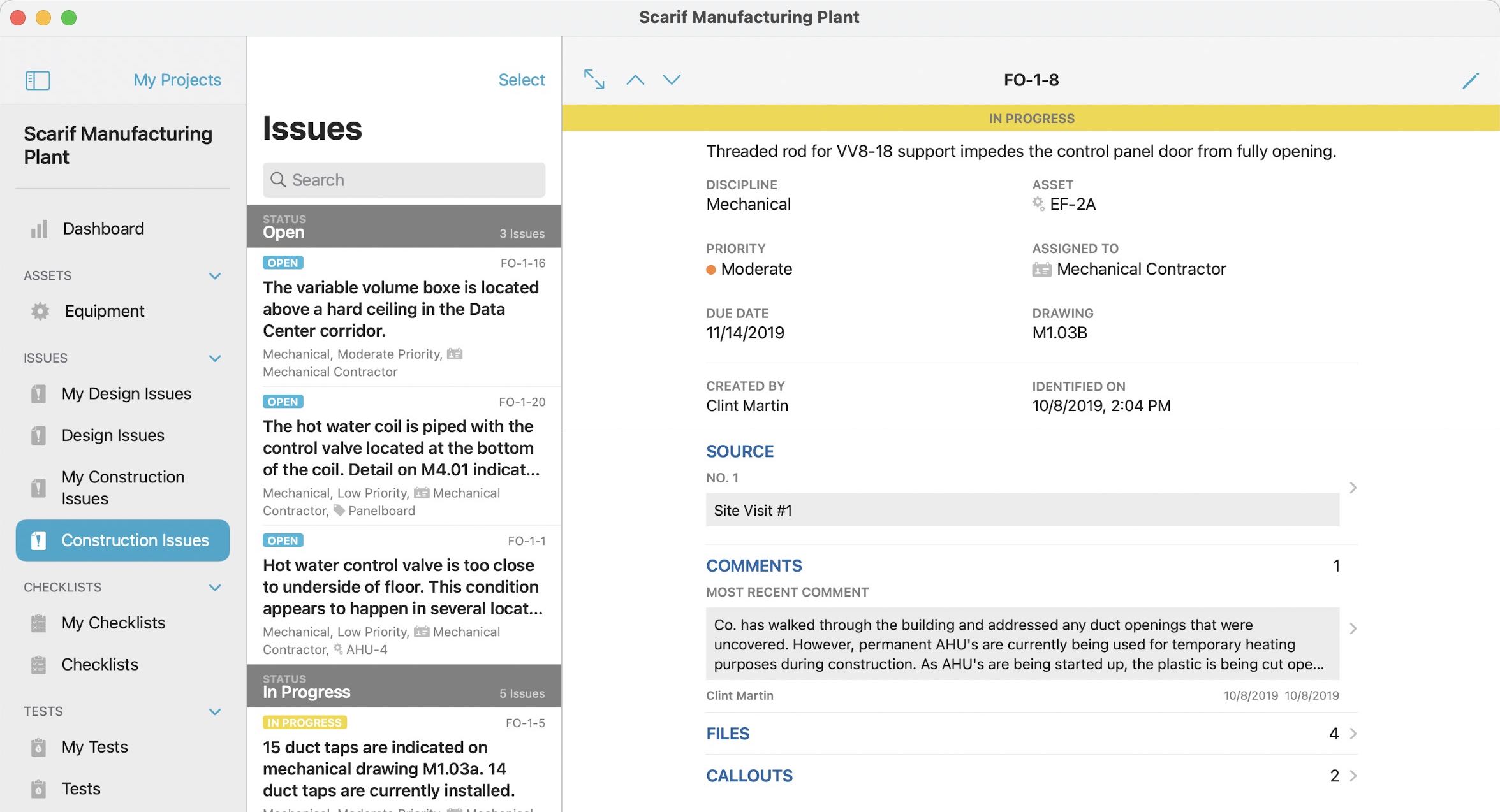
The “Attached Files” page has been revamped with a cleaner view that features larger thumbnails and more information. This same revamp is on the way for the “Project Files” page as well.
Performance Improvements and Bug Fixes
Images and PDFs now load faster in the viewer, especially when using the “Next” and “Previous” buttons to navigate between files.
The Attached Files page loads faster.
The “Next”/”Previous” controls load faster when viewing an issue detail page.
The “Source” field for attached files now includes more information for checklist and test line files and is a clickable link.
Tabbing between issue comment text boxes now works in more situations.
Searching in “Attached Files” now follows standard CxAlloy search rules, allowing for quoted strings and negation.
CxAlloy TQ for Apple Silicon Macs
Last year, Apple announced that it would start making its own chips for the Mac, like it already does for iOS devices. An interesting side effect of this was the new ability to run iOS apps on these new Apple Silicon Macs. After some testing and some tweaking of the user interface, we have now made the iOS app available on Apple Silicon Macs. To download it, simply search for “CxAlloy TQ” in the Mac App Store on an Apple Silicon Mac.
Universal Links
When you tap on a CxAlloy TQ link in an email, message, or note on your iOS device, it will launch the app and go to that item in the app instead of the website. This means you can successfully click on links even when you are offline!
If the project or item is not available in the app, the app will automatically pass it on to be opened in your browser instead as before.
Handoff
If you have multiple Apple devices, you can now browse your project on one device and continue it one another using Handoff. For example, if you are viewing a list of checklists in the iOS app and you bring your phone close to your Mac, you can click the Safari icon in your dock to load the same list of checklists in your browser.
Our final webinar of 2020 was a roadmap of our plans for 2021 and a look back at what we released in 2020, including several features that we launched shortly before the webinar.
If you are a CxAlloy TQ user, you can watch the webinar right now on our training page by clicking the play button below, or read on for a brief synopsis.
CxAlloy TQ for Web
Throughout 2020 we focused on features that eliminated friction and administrative overhead in managing the data in your projects. From the many small improvements made during our third Customer Appreciation Summer to the major enhancement of pushing template changes – which allows you to update tens to hundreds of checklists or tests instantly, even when they’re partially completed – you can manage your work in CxAlloy TQ faster than ever.
At the end of the year we also made our markup and callouts feature available to all accounts, allowing you to draw on any image or PDF, and added signatures for those projects that require that extra layer of accountability.
CxAlloy TQ for iOS
Besides matching the markup and callouts, signatures, and other features that debuted on the web, the iOS app added new features all its own in 2020. From scanning labels so you don’t have to type in serial numbers to batch answering identical checklists and tests, the iOS app empowers you to be more efficient than ever before.
CxAlloy TQ for Windows
Finally, we released the beta of our Windows app. The Windows app represents a major step forward compared to our previous Chrome-based Windows solution, allowing offline access to multiple projects, adapting to any screen or window size, and featuring a more usable, modern interface. We have built it off of the same battle-tested sync backend as our iOS app so that you can be confident it will have the information you need when you need it.
You can download the Windows app today in the Windows store by clicking below.
We have big plans for the Windows app in 2021 as we work to bring it to full feature parity with our iOS app. Speaking of 2021…
Vision for 2021
In addition to the Windows app, we have two major initiatives planned for 2021: Custom Phases and Milestones. We believe both of these will greatly expand the ways in which CxAlloy TQ can be used to manage and monitor project progress, giving you greater flexibility in how you organize, report, and track your project data. You can watch the webinar video for more details on our plans for these features as well as information about other planned features.
Of course, we’ll release other, smaller features throughout 2021 as well, so please keep an eye on the blog for details as those roll out. We think 2021 is going to be a great year!
We recently released a major update to CxAlloy TQ with Markup and Callouts, Signatures, a new Account Projects page, and several other improvements.
Markup and Callouts
In this release we made Markup and Callouts, which was previously in beta, available to all accounts while also rolling out improvements based on the feedback we received during the beta.
Markup allows you to annotate images and PDFs with arrows, text overlays, shapes, and freeform drawings. To use these new tools click on an image or PDF and you’ll find new annotation tools available in the toolbar.
The updated toolbar contains the new markup tools
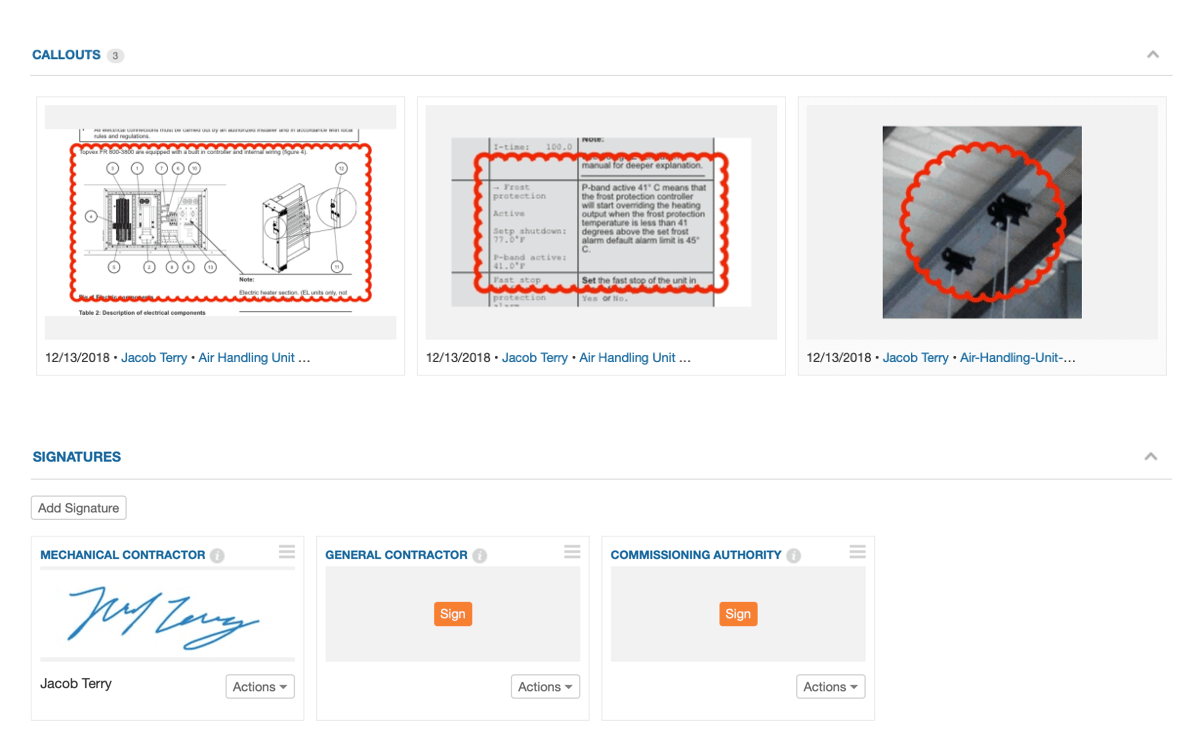
Callouts is a feature of Markup which creates thumbnails of any area you annotate with a circle or rectangle. This is particularly useful for multi-page PDFs, as it allows you to easily surface information on any page of the PDF.
Circle and rectangle annotations create Callouts
Markup is deeply integrated into CxAlloy TQ – when you markup a file those markups are reflected in the image thumbnails, PDF reports, and subsequent file downloads. Markup is available in the iOS app as well, and annotations sync as you would expect.
For those that have been using Markup during our beta period, this release makes several improvements:
Increases the resolution of annotated images
Adds multiple download formats
Original file without annotations
Flattened file with annotations
PDF with embedded native annotations
Updates batch downloading to use the annotated version of a file if it has annotations
Improves performance of loading the viewer
Correctly handles HEIC images
Fixes an issue where Callouts that were drawn close to the edge of a document would not appear correctly
Signatures
With Signatures you can now add signatures to checklists, tests, and templates and users can sign using their mouse or finger (on devices with a touchscreen). Signatures are also available in our iOS app.
A new “Signatures” section appears for checklists, tests, and templates
When creating checklists and tests from a template, any signatures you have defined on the template are copied over just like lines. Signatures on a checklist or test can then be signed.
Of course, signatures can be included in checklist and test PDFs, and signature activity is now included in history.
Signatures replace the previous “Signature Lines” feature. If you have ongoing projects that need the prior “Signature Lines” functionality, please contact support and we can re-enable it for those projects.
Account Projects
Previously available as a separate “Overview” page, the new Account Projects page includes significant improvements over the simple project list it replaces.
The biggest change is that each project shows it’s dashboard summarizing the status breakdown of issues, checklists, tests, tasks, and equipment. There’s quite a bit more, though, as you can now sort and filter your project list, generate PDF reports, and export the data.
The new Account Projects page
Many of these features were available in its previous incarnation as your account “Overview”, but we made several improvements as we brought it over to replace the projects list.
Added administrator, location, and date created sorts
Added Checklist Open Count and Checklist Closed Percentage sorts
Added administrator, location, and date created information to each project listing
One note is that the checklist sorts can only sort projects with upgraded checklists. Accounts that have not upgraded will not see the checklist sorts, and in upgraded accounts the sort will ignore un-upgraded projects.
Other Improvements
Several other improvements were included in this release.
Templates now have a new section that shows all related checklists or tests and their “Push Changes” status
You can create new assets or attributes “on-the-fly” in more places
The presentation of related template information on checklists and tests has been improved, and the “Pull Changes” button has been moved next to the template information
You can now download a sample file from the import screen
Newly released in the App Store is version 4.0 of the CxAlloy TQ iOS app, which features significant foundational changes to support exciting new functionality in iOS and iPadOS 13. Aside from dozens of small improvements and bug fixes, this update features three main tent-pole features.
Multiple Windows
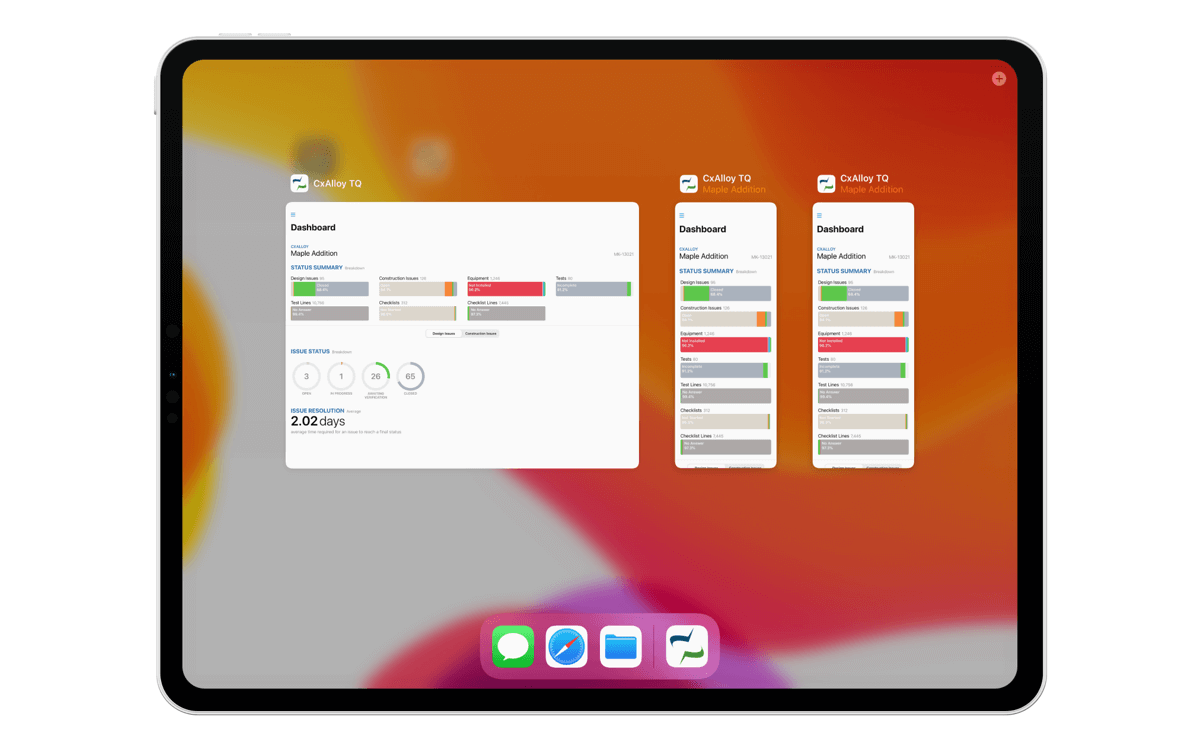
A big new feature in iPadOS 13 is the ability for a single app to have multiple windows. Now, in 4.0, you can tap and drag projects, project sections, and list items into their own windows. Work on two different sections of the app or even completely different projects side by side!
Powerful List Views
Do more directly in the app’s list views with support for swipe actions, iOS 13 contextual menus, and batch actions with the new Select button. We’ll add additional actions to the list views in upcoming versions.
State Restoration
When returning to the app after switching away for a while, the app will make an effort to restore your location in the app, getting you back up and running quicker. We’re excited about these features today as well as the possibilities they unlock for the future. Have questions? Let us know at support@cxalloy.com.
The latest addition to the iOS app is Batch Answer – a new interface for answering similar tests or checklists.
Many tests or checklists are created from the same template and thus have identical lines. With Batch Answer, you can quickly and easily answer these identical lines from a single screen. This includes:
Adding and changing an answer
Adding and editing a note
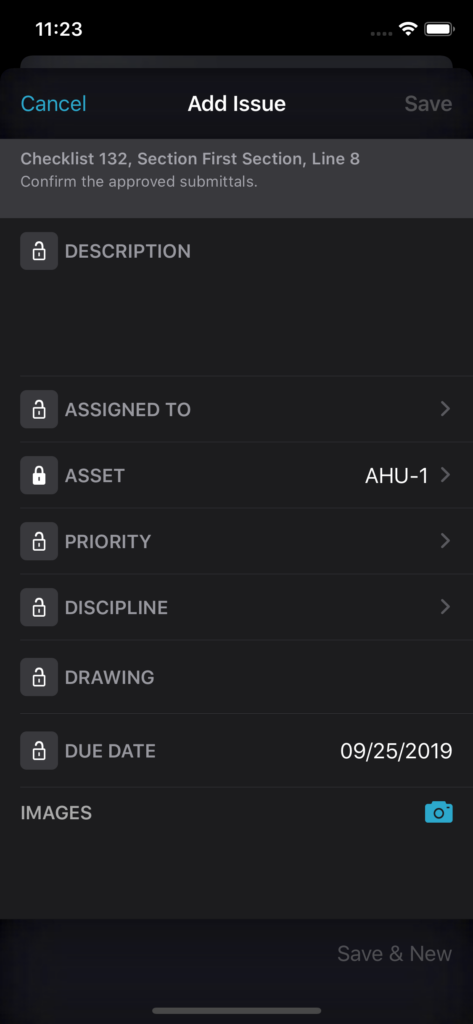
Adding an issue
Adding a photo
How to Batch Answer
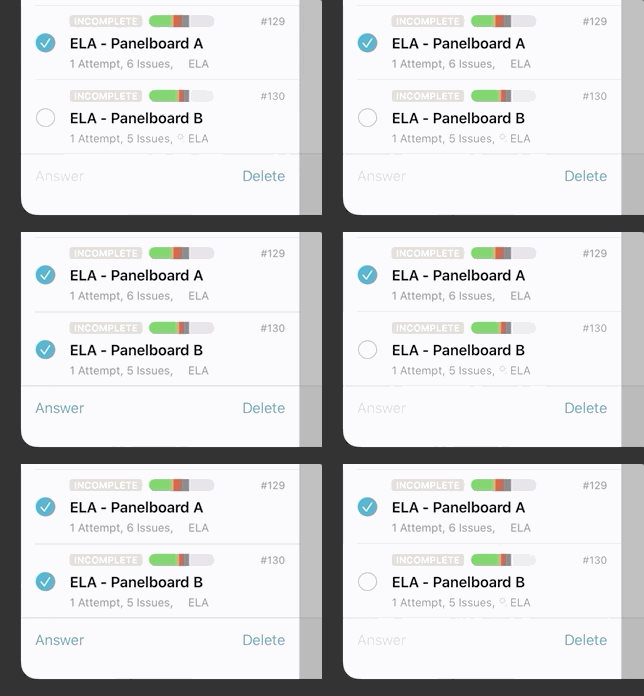
To batch answer, first use the “Select” option to select each test (or checklist) you want to batch answer.
Next, tap the “Answer” button – this will show the Batch Answer screen. This screen closely resembles a single test, but in this case, each line can be expanded by tapping a drop-down indicator on the right.
With the line expanded, you can answer one or more tests.
To batch answer tests or checklists, each must meet the following requirements:
Created after 9/24/2019
Created from the same template
Has not been structurally modified. This includes: no edits to line text, no lines added or removed, and no lines reordered.
You’ll know whether or not these three conditions pass because the “Answer” button will enable/disable.
We are excited to hear how you use Batch Answer to speed up your answering of tests and checklists!
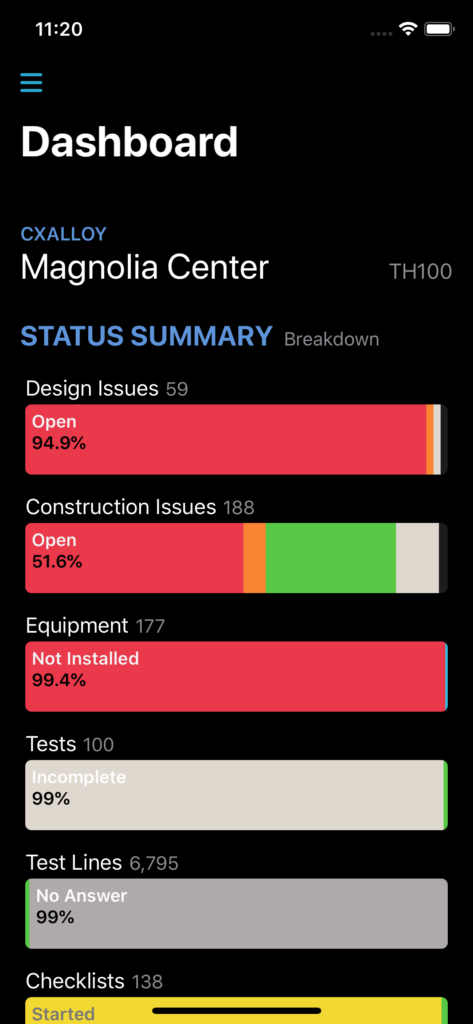
Starting with version 3.15 of the iOS app a new dark appearance is available that lowers the lights on your CxAlloy TQ project. To enable the new dark appearance, enable the system-wide dark mode on your iOS device. System dark mode requires iOS 13. You can learn more about updating your device to iOS 13 on Apple’s website.
We’ve released version 3.10 of the iOS app which includes features suggested by attendees of our CxAlloy User Conference in November plus a couple of things that we’ve been working on for a while.
Customer requested features
Tappable URLs in checklist and test lines – When you add a URL to a checklist or test line, the app will convert the URL to a link. Tapping the link will open the URL in Safari. The same functionality is coming to the web version as well.
Quick user logout – The bottom of the project list displays the currently logged in user. You can tap on this label to quickly log out without having to go to the app’s Settings.
Sync just one project – If you want to sync just one project instead of all of them at once, you can do so by swiping left on a downloaded project and tapping the sync button.
Faster line details
We’ve tweaked how we show line options. Previously when you tapped a line the options would open up below the line. Now we show them in a “popover” above the line. We made this change because it makes scrolling long tests and checklists much smoother (due to complicated technical reasons). Happily the feedback from early users was that they also liked the “popover” better than the old way.
Stepping into the background
In addition to these features suggested by our users (thanks, y’all!), we’ve included a new feature of our own. Now, after you tap on a project to download it, you no longer need to keep the app open in order for the download to complete. Background project downloading required us to make some significant changes to our server’s sync architecture and we’ll be announcing some exciting new features built on this new download framework in the coming months. Keep an eye on this space!
Big little changes
Some small changes can have big impacts. Being able to click a link in a checklist or test line is a small feature on paper, but opens up new possibilities for your checklists and tests. Likewise, showing some buttons above a line in a “popover” instead of below the line is barely noticeable, but dramatically improves scrolling performance. And background project downloading is a small improvement day-to-day, but represents a new frontier we can explore to ensure your data in the app and on the server is always available and up-to-date.
Hi everyone! I’m Clint and I’m the lead mobile developer here at CxAlloy. While the majority of our developers work in our office in Atlanta, the mobile team is based here in Salt Lake City, UT. (We’re trying to get the other developers to call us “CxAlloy West”, with varying degrees of success.)
Earlier this year, the mobile team met with a group of our users and asked them what they wanted to see most in the app. Some answers we expected; some surprised us.
We updated our development schedule to incorporate what we learned and the initial fruits of those conversations are now becoming available. One of them was the Multiple Line Answering feature that we released a few weeks ago, which has been very popular.
But, we’re not done yet. Version 3.8 of the app has two features that we know many of our users will be very excited about.
Adding Document Files
A few weeks ago, we added the ability to view many document file types (such as PDF, Word, Excel, etc.) without needing to export them first to another app. Now we’re taking the next step and, starting in version 3.8, users will be able to add those files directly to items in the app.
Next to the camera button in the file lists there is now a plus button which will bring up iOS’ file picker. From there, you can select files stored in Dropbox, Box, iCloud, or any other service that works with iOS’ Files app. Any file type that can be uploaded to CxAlloy TQ’s website can be added to the app.
Not only that, but users with iOS 11+ will also be able to drag documents and images out of other apps and drop them directly into CxAlloy.
Try it. It’s fun.
Distraction-Free Mode
I’m an avid iPad user. One of the biggest annoyances I have is when an app has a list of items on the left hand side that you can’t hide. This list can be really distracting when you’re trying to work on something more involved like, say, a checklist or test.
In version 3.8, we’re introducing a “Distraction-Free Mode” for the app that allows you to tap on the new “expand” button to hide the left-hand list allowing you to focus on the work at hand.
More to Come
As you might expect, these are not the only features customers are asking for. When I look at our roadmap, I see several oft-requested features that we’re excited to finally bring to our users. Keep those apps updated and hopefully your most-wished-for feature will be landing on your iOS device in the near future.
There are times when you are filling out a checklist or test and it would be a lot easier if you could answer multiple lines at once. Well, in version 3.7 of the iOS app, we are introducing multiple line answering!
In order to answer multiple lines at once, swipe right on a header line in a checklist or test. The line will slide over to reveal the same answer buttons used by the regular line. The difference with these buttons is that tapping on them will apply the selected answer to all of the lines until the next header.
If there are attributes in the line, answering yes will prompt you to add values for each attribute.
We’re hoping multiple line answering speeds up your work in the field. Let us know what you think by emailing support@cxalloy.com.
In addition to multiple line answering in version 3.7, we also made a small addition to the checklist, test, equipment, and field observation lists. Now, these lists will include the count of any issues for each item to help you quickly find the information you’re looking for.
Version 3.2 of the CxAlloy TQ app will drop support for iOS 9. This change will affect some older devices that are unable to update to iOS 10 or 11:
iPad 2
iPad 3
iPad mini (original model)
iPhone 4s
If you are using one of these older devices, you will be able to continue to use a version of the app prior to 3.2, but you will no longer receive updates via the App Store.
App versions prior to 3.2 will continue to sync to the server for the foreseeable future, but at some point new features will require us to prevent syncing from these older versions. We will give advance notice when that happens.
If you have any questions about using the app on these older devices, or if you are unsure if your device is affected, please email us at support@cxalloy.com.
We’re excited to tell you about our latest iOS release: version 3.0! We felt it was justified to break out the “version 3″ guns for this one, as we’ve completely overhauled how you answer checklist and test lines. Take a look:
Before we dive into the changes in 3.0 it’s important to clarify that this is not the checklist upgrade that will remove sections. That upgrade is both separate and opt-in, so even after we release it your organization will choose when to make the change. You can read all the details of the checklist upgrade in our checklist upgrade guide.
With that out of the way, let’s look at what’s new in 3.0. There are four big changes:
You can now attach photos to individual lines.
You can swipe a line to answer it.
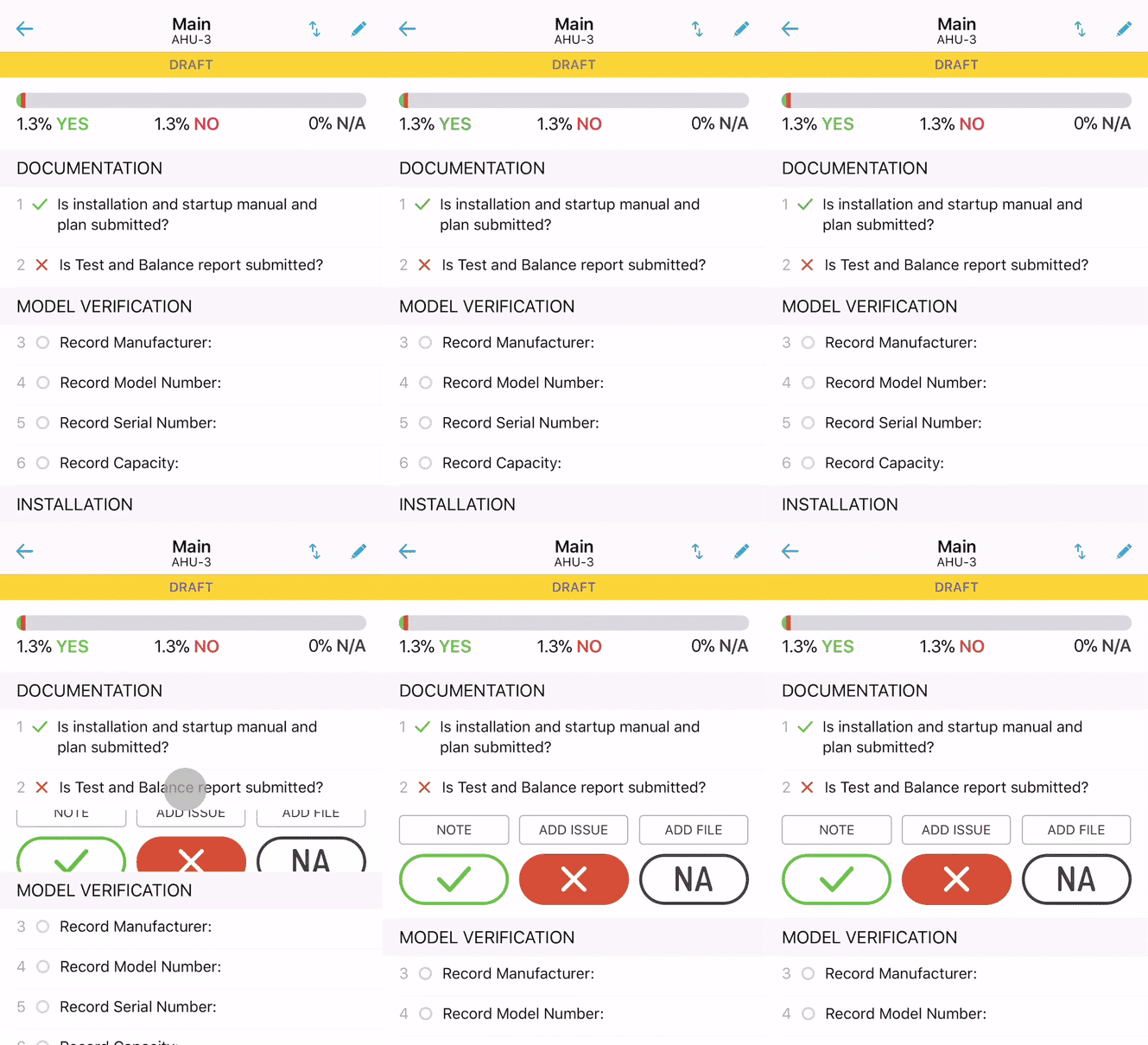
Line actions are now hidden by default. Tapping a line opens it and shows you relevant actions.
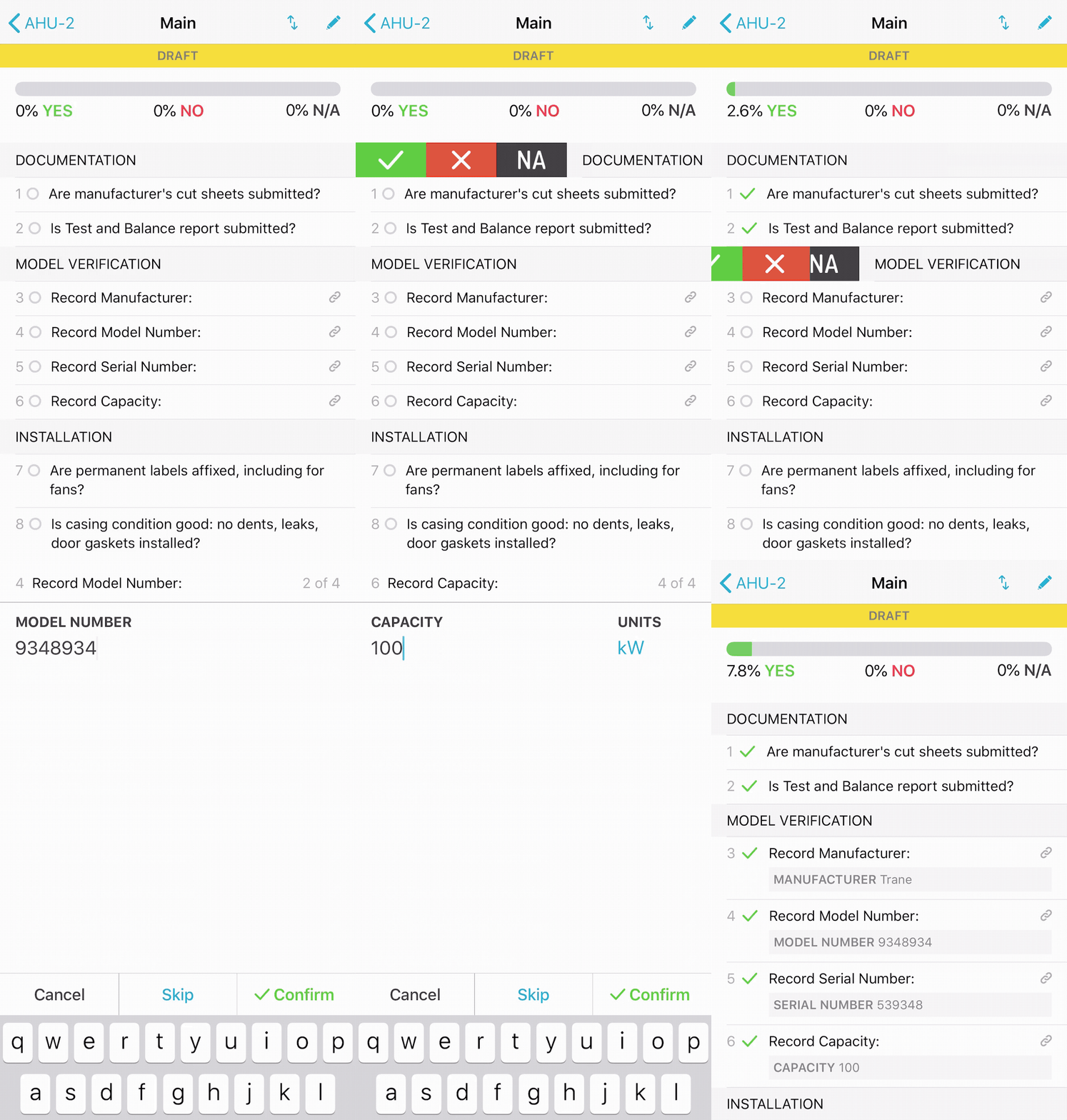
You are now automatically prompted to set or confirm linked attribute values (i.e. “Manufacturer”, “Serial Number”, “Air Flow”, etc.).
Attaching Photos
All the other changes in this release were really driven by the first feature we wanted to add: attaching photos to individual lines of a checklist or test. And we did it! You can now add one or more photos to any line, just like you can on the web.
Simply tap to open the line then tap “Add Photo”. As the button indicates, you are currently limited to attaching photos in the app. We hope to allow you to attach other types of files in a future update.
Opening Lines
When we decided to put in the “Add Photo” button for lines we realized that trying to add another button to the interface was just too much. That led us to change how the lines are shown.
Lines now show only content, not buttons. You can see the current answer, the question, any note or attribute value, and how many files and issues are attached.
The actions that were previously shown with the line (”Add Issue”, “Note”, etc.) are now shown when you tap the line to open it. This allows us to have more actions, like the new “Add Photo”, without overwhelming you with a screen full of buttons.
Swiping to Answer
The advantage that our previous approach had was that you could answer “Yes” to each line with just one tap. We realized that by hiding buttons until you open the line, you would have to tap each line twice – once to open the line, again to answer it – to complete a checklist or test. That wasn’t acceptable.
To solve this we adopted iOS’s swipe actions. Now, you can swipe a line right to reveal the “Yes”, “No”, and “N/A” answers. Better yet, you can answer “Yes” with a single long swipe. We’ve found that swiping to answer is just as fast as tapping to answer was previously.
Confirming Attributes
With all these changes we took the opportunity to revisit how we handle lines with linked attributes. A “linked attribute” is a line that has been set up to record a specific value such as “Manufacturer”, “Serial Number”, etc. Previously you had to tap “Note” to record the value, and although you could confirm an existing value it was easy to miss and unintuitive.
In version 3.0 we’ve totally rethought how this should work. We realized that you wouldn’t ever want to say “Yes” to a line that is asking for a value without actually recording that value. That “Aha!” moment led us to a new approach that automatically prompts you to record the value anytime you answer the line with a “Yes”.
This approach has several benefits. It simplifies the process for completing checklists, as now you can just answer “Yes” and the app will tell you if you need to record a value, and it makes it faster to fill out a checklist as the video at the top of this post demonstrates.
For the Nerds
One last note about this release. You may be aware that Apple revealed a new programming language called Swift in 2014. It’s been clear for a while now that Swift is the future for iOS apps. Over the last several years we’ve been porting the app over to Swift, and with 3.0 the app is now 99% Swift code. It’s no small task to port a code base to a new programming language and I’m proud of our mobile team’s efforts to get it done and their foresight in starting on it early.
Keep Us Posted
We’re always interested in your experiences with the app and CxAlloy TQ in general. If you get a chance, let us know how it’s working for you at support@cxalloy.com.
Version 2.5 of the CxAlloy TQ iOS app will drop support for iOS 8. If you are currently running iOS 8 you’ll want to update to iOS 9 or iOS 10 so that you can install the update when it becomes available. The update will be available within the next one to two weeks.
This change doesn’t affect the devices we support. Every device that can run iOS 8 can also run either iOS 9 or iOS 10.
You may have noticed that it has been pretty quiet along the iOS front for a few months. That’s because we were pouring a lot of effort into a major update that we recently released: Version 2.2.
Project Pain Point
Our users are depending on CxAlloy TQ more than ever. They are also using CxAlloy TQ for bigger and bigger projects. We think this is great! The iPad 2, however, begged to differ. We received feedback that for some users, these Very Large Projects (as we creatively refer to them) could sometimes take tens of minutes to download on older devices and slower connections. This wouldn’t do.
The problem stemmed from just how Large these projects can get, some of which include hundreds of thousands of records. In order to use these projects offline, all of this data had to be downloaded to the device, processed, and inserted into a local database. It was a taxing process for almost every one of the major resources of a modern computing device: memory, CPU processing, disk speed, and network transfer. With all of those resources churning away, the battery would take a pretty big hit. Designing performant software means trying to get the app to do as little work as possible and in this situation, the app was doing an awful lot of work.
Mobile device speed has had major increases over the past few years. For the iPad Pro, downloading a Very Large Project would barely cause it to break a sweat. For older devices, however, this was a grueling task. It wasn’t fun for the user, either, who had to wait as the device strained under the load.
Interested in CxAlloy TQ? Learn more at cxalloy.com
Pull Your Weight, Servers
We have some very powerful servers running the CxAlloy site and we decided to see if by leveraging that power, we could give the mobile devices a break. We ran a test to see if we could offload project download work from the device onto the server. In our initial test, a Very Large Project that took 20 minutes to download and process on an iPad 2 only took about 2 minutes on the same device when we moved the processing to the server. We were definitely on the right track.
In the end, we managed to move all of the processing needed from the app to the server, leaving the device to merely download a ready-to-go project file. iOS devices are highly optimized for downloading files so we went from these older devices straining to keep up to downloading the project with a barely noticeable amount of effort.
Time to Slim Down, Projects
We were very happy that all the app had to do to get a project from the server was to download a single file. But our work wasn’t done, yet. For Very Large Projects, this file could sometimes be over 100MB in size. That’s a lot of data. On an LTE connection or on speedy WiFi, this may be pretty quick, but some of our international users (¡Hola Chile! 🇨🇱) have slower WiFi connections and since the app is used primarily in the field, sometimes users need to download a project in the field over a very slow cell connection.
We were curious to see if HTTP compression would come to the rescue. HTTP compression is a technology by which data is zipped up before it is sent down from the server to the device. This is similar compression that is utilized by the .zip files on your computer, but with HTTP compression, the zipping happens in real-time as the data is transferred to the device.
So, we ran a test using a project whose download file came in at a relatively svelte 15MB. We turned on HTTP compression and were impressed to see that it managed to squeeze the download down to 2.7MB. That was about an 80% reduction in size. The actual savings for your individual projects will vary, of course, but it will definitely be an improvement for users on slower connections and those with metered data.
We extended compression to the sync process as well, reducing transfer time and data usage.
Equipment Filtering
The majority of development time for 2.2 was in the new project download, but we managed to also slip in a much requested feature: filtering.
Currently only available on the equipment list, filtering allows you to limit the list to only the equipment that matches the criteria you specify. Just like on the desktop you can filter by status, discipline, equipment type, location, and system. To try out the new filters just click the new Filter icon next to the Sort icon at the top of the equipment list.
A future version will bring filtering to the other lists.
Other 2.2 Features
Project download performance and equipment filtering isn’t the only thing new in 2.2. Here is what else you’ll find:
New project download icon and text provides more transparency into the download process
Removing a project from a device is now much faster
Tons of bug fixes
Wrap Up
We take performance pretty seriously here and we are excited to provide our users with a new project download system that will significantly improve wait times and battery life while using our app. We’re curious to see what you think of the new download times in Version 2.2 and if you have any comments or questions, please let us know at support@cxalloy.com.
Two months ago we shared some details about our upcoming update to our iOS app that will, among other things, allow you to use it alongside other apps on the iPad.
This update is currently in review with Apple and will be released soon. Importantly, the update will not support iOS 7. If you are running iOS 7, you will need to update to iOS 8 or iOS 9 to get the update. Every device that is running iOS 7, with the exception of the iPhone 4, can be updated to iOS 8 or iOS 9.
Supported Devices
Any iOS device that can run iOS 8 or iOS 9 will be able to run the updated CxAlloy TQ app. The full list of supported devices is:
You may have read news about an upcoming update for the iPhone and iPad, iOS 9. Among the usual litany of new features, one feature in particular stands out: the ability to run two apps side-by-side on the iPad.
Soon you’ll be able to view a drawing at the same time that you create issues in CxAlloy TQ, or reference an email while updating a checklist, or run calculations while completing a test, all because you’ll be able to run other apps right next to the CxAlloy TQ app.
In order for an app to be used this way it has to be updated to take advantage of the feature. We are hard at work on an update for the CxAlloy TQ app that will allow you to use it side-by-side with other apps. This has been a major undertaking for us as we have had to rewrite all of the interface parts of the app, but we got started early and are nearing the finish line.
iOS 9 will be released on September 16, and we anticipate that we’ll have a beta release within a few weeks of that date and a full release coming soon after.
Side-by-Side Limitations
Not every device that can run the CxAlloy TQ app can use the new multitasking features. The feature is limited to specific iPad models. In addition, there are two forms of multitasking available, Slide Over and Split View, and support for each of these varies.
With Slide Over, although both apps are on screen, only one app can be used at a time. With Split View, both apps can be used simultaneously.
Dropping iOS 7 Support
As part of this update we will be dropping support for iOS 7. If you are running iOS 7, you will need to update to iOS 8 or iOS 9 to get the update. Every device that is running iOS 7, with the exception of the iPhone 4, can be updated to iOS 8 or iOS 9.
Supported Devices
Any iOS device that can run iOS 8 or iOS 9 will be able to run the updated CxAlloy TQ app. The list of those devices is included here for convenience.
Our latest release includes a long-awaited improvement to attributes, a new file tagging feature, and many other small improvements.
Attributes
Attributes are a well-loved part of CxAlloy TQ. However, up until now you did not have full control over the list of attributes. You could add to the list, but you couldn’t edit or remove any of the 300 default attributes.
After the most recent release, this is no longer the case. You now have full control over each project’s attribute list, so you can add, remove, and edit any of the attributes.
(For those that don’t know, attributes are additional data associated with equipment and other assets, such as “Manufacturer”, “Model Number”, “Capacity”, “Airflow”, etc.)
Attributes now also work like other project settings — your account-level attributes have become the defaults for new projects.
We knew that many people would want to clean up their attribute list after this release, so we also added a new “Merge” function for attributes. Merging attributes will update all related items (such as checklists or equipment) that use those attributes to the new merged attribute. Before merging you will see a count of how many items will be affected so you can better decide whether to proceed with the merge. We now also show this information when deleting attributes.
File Tagging
The other big change in this release is the addition of file tagging. After uploading and attaching a file, you can assign it any number of tags. The list of available tags is managed by you and works like any other project setting.
Right now tagging is just additional information you can add to a file. In the future, we plan to leverage these tags to give greater control over reports and to improve file exports. An upcoming blog post will outline some of these plans and give some examples of how tags can be used to implement more complex project needs.
File Previews and Batch Actions
The new tagging feature is accompanied by an update to the look of attached files and new functionality. One of the nicest additions is the ability to preview files directly in the browser. Previously, clicking on a file name would download the file. Now it opens a preview. From the preview you can download the file or take other actions, such as deleting or renaming it.
We’ve also added batch actions for attached files, allowing you to download, delete, and tag multiple files at once.
Other Improvements
We made other improvements to the site, including:
Automatically detecting links in attributes.
Improving the display of attributes for assets.
Bug fixes.
You can see all these updates and past updates in our release notes.
Equipment on iOS
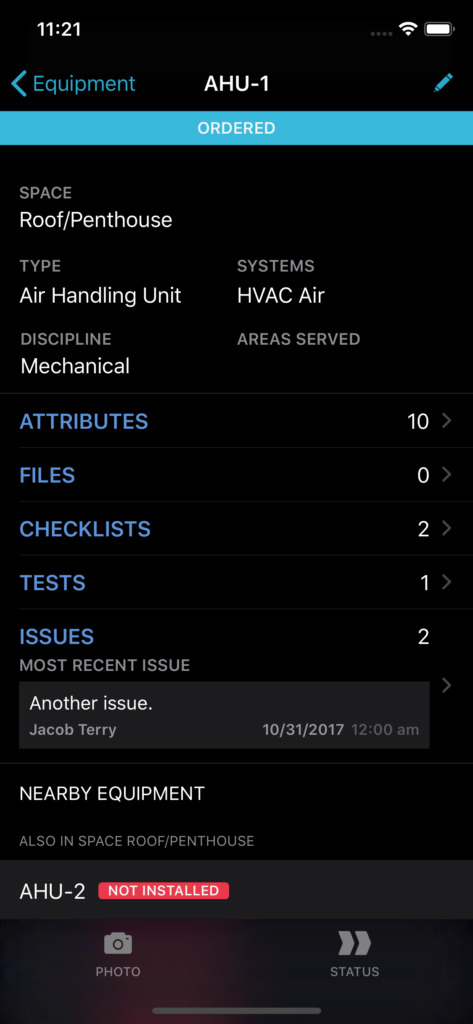
We also released a new version of the iOS app that adds a whole new section: Equipment. You can now view equipment data in the app, change the status of equipment, and view, edit, and add attribute data.
The new equipment section also includes a “Nearby” section that shows you equipment in the same room or system as the equipment you are currently looking at. This makes it easy to walk into a room and update all the equipment in that room without having to search or scroll through the list of equipment. We would love your feedback on this as we plan to add it to other sections.
As always, this version also addressed a number of bugs.
Engineering Challenge
These updates required significant effort and testing to ensure that your projects continued to work just as expected across all our platforms: the web, iPad and iPhone, and our offline Chrome app. The attribute change, in particular, involved updating millions of records in our database, handling old clients in our mobile sync, and code updates across the entire site.
In the end, we think it came out pretty good. I hope you feel the same way. As always, let us know what more we can do to make CxAlloy TQ better.